Customer onboarding
Inconsistent agency screens, unclear errors and a verification step where users dropped off. Support tickets were high from day one.
OCTA helps SMEs across the UAE and GCC get paid faster, with AI-powered invoicing, collections and bank reconciliation. OCTA Flow is a separate product for accounting firms, connected to the OCTA core. I designed both, from blank canvas to live enterprise clients, in 18 months.
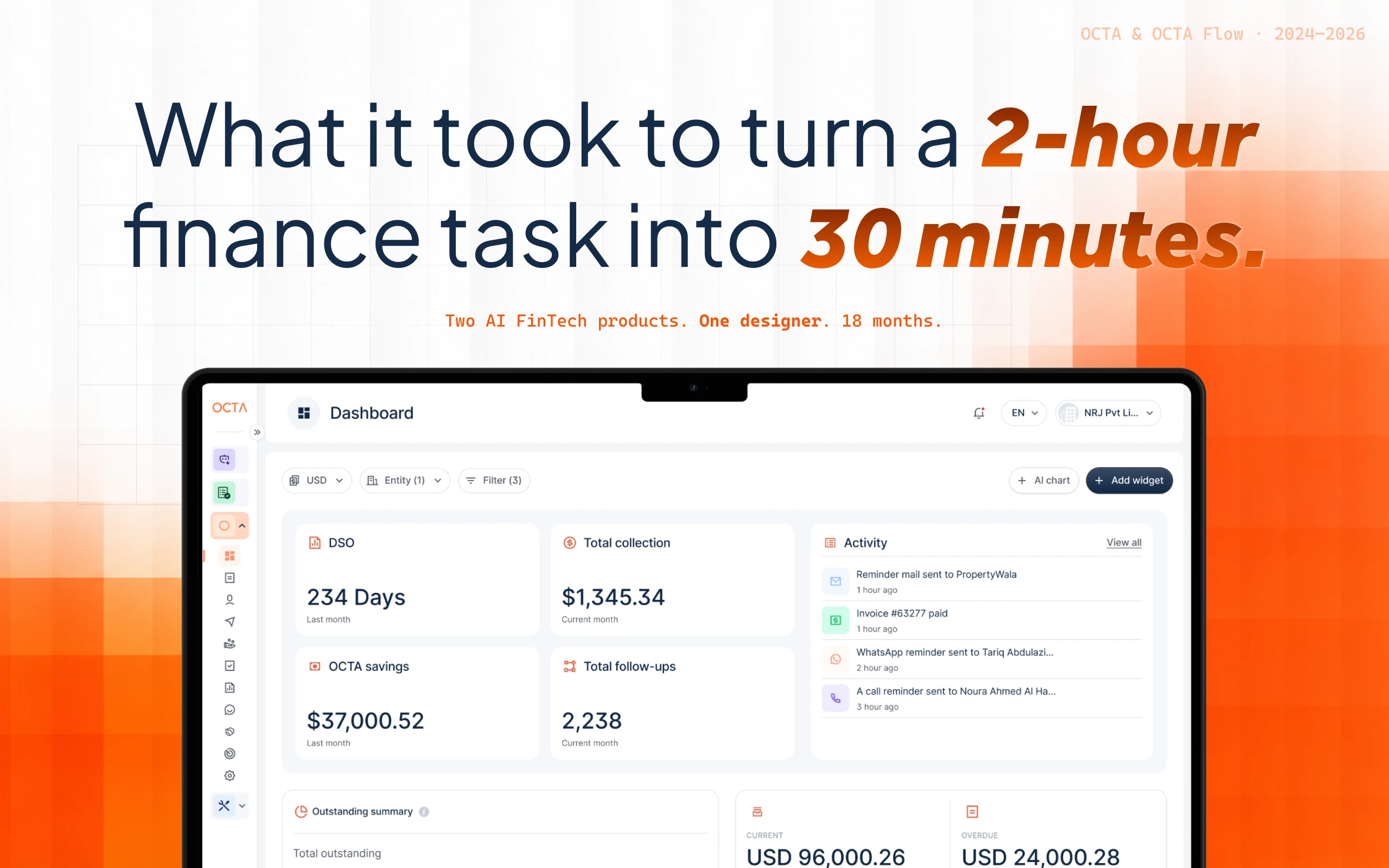
OCTA is a B2B FinTech SaaS that automates accounts receivable and payable for SMEs across the UAE and GCC. Finance teams use it to create compliant invoices, chase payments through an AI collections agent, and reconcile bank statements against invoices — all in one platform.
Finance teams, CFOs and accountants at SMEs and enterprises. Before OCTA, most of them ran collections across 3–5 disconnected tools: Excel for tracking, WhatsApp for follow-ups, email for invoices and a separate system for reconciliation. Every step was manual, and most overdue payments came down to a phone call.
An agency had designed the early screens. A few modules were live, but critical flows were broken, many didn’t exist at all, and the product had no design system.
Inconsistent agency screens, unclear errors and a verification step where users dropped off. Support tickets were high from day one.
The invoice list had no filtering, no bulk actions and no visibility into overdue invoices. Users couldn’t make sense of what they were owed.
The entire flow existed only as a written requirements document. Nothing in Figma.
One of the most complex modules, with no designs at all — just requirements and a verbal brief from the founders.
AI-driven follow-ups across WhatsApp, phone and email had never been designed. It became the product’s flagship differentiator.
Regulatory e-invoicing needed a dedicated flow that was legally accurate and still usable by non-accountants.
Reviewed every existing screen and built a prioritised list of broken flows, missing states and UX gaps. Shared it with the founders, the PM and engineering before opening Figma.
Redesigned onboarding, fixed the invoice list and standardised components. Errors and support complaints dropped within weeks of release.
Invoice creation, customer management, the reminders workflow and approvals.
Bank reconciliation, the AI collections agent, e-invoicing, invoice financing, the communication hub and reports — while growing the design system alongside.
A second product, sold only to accounting firms — its own modules, limits, identity and workflows, connected to the OCTA core platform.
I had no research team, so research was built into the work: talking to customers, watching them use the product and testing designs before they were built.
Finance users didn’t want AI to be perfect. They wanted to see why it made a decision and fix it fast when it was wrong.
In the region, a payment reminder that sounds professional in one market can feel cold or rude in another. Tone and channel matter as much as timing.
Many customers responded faster on WhatsApp than on email, so it had to be a first-class channel, not an add-on.
Users needed e-invoicing to be correct without having to understand the regulations behind it.
“I was the only designer across both products for the full 18 months — from auditing broken agency work to shipping AI-powered features for two separate products at the same time.”
10 modules across the OCTA AR/AP platform — some inherited and fixed, most built from zero.
DSO, aging, cash flow and AI activity in one view for CFOs and finance teams.
Templates, line items, VAT, live PDF preview and sending, with compliant e-invoicing built in.
Customer profiles with TRN, credit limits, workflows, late fees and account owners.
Rule-based reminder sequences across email, WhatsApp and calls, with editable templates.
Follows up on overdue invoices through each customer’s preferred channel, with no manual effort.
Matches bank transactions to invoices with confidence scores and clear reasoning.
Lets businesses turn eligible unpaid invoices into early cash through partner financiers.
Every email, WhatsApp message and call log for each customer in one place.
Aging, collection performance and AI agent reports, exportable for stakeholders.
Uploads invoices and statements and extracts the data automatically.
Reconciliation was the most painful daily task for finance teams: manually matching bank statement lines to invoices, hunting down mismatches and explaining gaps to management. It took hours, and one missed match could throw off a whole month.
The hardest design problem wasn’t the matching itself. It was trust. An AI that matches transactions silently is a black box, and finance teams won’t sign off on numbers they can’t explain.
The key insight from testing: users didn’t need the AI to be perfect. They needed to understand why it made each match, and to have a fast, clear way to correct it when it was wrong.
Why this, not thatI rejected full auto-reconciliation. Speed means nothing in finance if the team can’t defend the numbers, so the AI suggests and the human approves.
ResultEnterprise reconciliation time dropped from 2 hours to 30 minutes, and matching accuracy rose from ~60% to ~90%.
The collections agent contacts overdue customers through their preferred channel — WhatsApp, phone or email — with no human involvement. In this market, business relationships are personal, so handing customer conversations to an AI needed careful trust-building design.
Finance teams were nervous about letting AI message customers they had known for years. One badly timed or badly worded reminder could damage a relationship worth far more than the invoice.
So the design question wasn’t “how do we automate collections?” It was “how do we let teams hand over control at their own pace?”
Why this, not thatI didn’t launch with full automation by default. Gradual trust beat instant automation, because teams that feel in control keep the feature switched on.
When I joined, invoice creation had zero designs — just a requirements document and a product conversation.
The challenge was designing one flow that works for first-time SME owners and experienced accountants alike, and that meets two different e-invoicing compliance frameworks (FTA and ZATCA) in the same interface without overwhelming anyone.
Why this, not thatI didn’t put every compliance field on one long form. Showing fields only when relevant kept the form short for most users while staying compliant.
While OCTA served SME finance teams, accounting firms needed something different: an operating system for how they actually work — managing clients, tracking time, handling tasks and balancing team capacity. OCTA Flow is a standalone product with its own modules, identity and workflows, built by the same single designer.
Active customers, tasks in progress, deadlines and team workload at a glance.
Tracks prospects from first contact to signed client.
Every client, contact and engagement in one place.
Built-in timers and manual time entries tied to clients and tasks.
Kanban boards with AI assistance, using a credits model (10 free per month, more available to buy).
Working schedules, weekly capacity and time off, so managers can spot overload early.
Roles, permissions and workload rebalancing across the team.
Firm-level configuration and AI credit management.
Many modules arrived as verbal briefs or Notion notes. Before designing, I ran definition sessions to clarify the problem, the users and the edge cases. Design became part of product discovery.
Design workshops, alignment with the founders and PM, and customer reviews, all running alongside delivery. I kept a single source of truth in Figma, so decisions didn’t get lost.
FTA and ZATCA e-invoicing, TRN handling, Arabic name conventions and culturally appropriate tone for the AI collections agent all required research that wasn’t available off the shelf.
OCTA and OCTA Flow had different users, modules and design needs. A shared design system let me switch between products without losing consistency or speed.
Enterprise finance users don’t trust silent automation. Every AI feature was designed around confidence levels, visible reasoning and a manual override that lets humans decide.
Two engineering teams building two products in parallel. I used clear specs, Dev Mode handoff and live review cycles to keep both moving without rework.
Designing two products in parallel as one designer is only possible with a rigorous system. Built from the foundations up, it scaled across OCTA and OCTA Flow and became the source engineering built from directly — speeding up delivery by 15%.
2h30m (from 2h to 30m)
Enterprise reconciliation time after redesigning the AI-powered workflow.
Source: client reconciliation workflows5 daysSame day (from 5 days to Same day)
Invoice approval cycle, after mapping the journeys of finance controllers, AP/AR operators and executives.
Source: client approval workflows+15%
Faster product delivery, with engineering building straight from the 0→1 design system.
Source: delivery trackingHighNear zero (from High to Near zero)
Customer UX complaints after redesigning the broken agency flows in the first months.
Source: support ticketsManualAutomated (from Manual to Automated)
Collections follow-ups, now handled by the AI agent across WhatsApp, phone and email.
Source: product usage~60%~90% (from ~60% to ~90%)
Bank reconciliation accuracy with AI matching and OCR, versus the manual process.
Source: reconciliation results~60%~20% (from ~60% to ~20%)
Platform-wide error rate after redesigning onboarding, invoice flows and inline validation.
Source: error trackingHalf my time was spent in product conversations, not Figma. The most useful question was “for whom, in what context, with what constraints?”
The pressure was to ship new features. Fixing what was broken first earned the trust that gave me more say over what came next.
Building 15+ modules alone only works when every component is built once and reused everywhere.
Show why the AI made a decision, let people override it, and log everything. That’s how adoption follows.
Tone, channel and timing that feel professional in one market can feel cold in another. Design for the users you actually have.
Without a design team, every decision needed a clear “why” — and writing that down made my arguments stronger.
OCTA has evolved since my time — today it presents itself as an AI workforce for accounting firms, so what you see there will differ from this case study. The design files are under NDA; I’m happy to walk you through them on a call.
This is version one.
The product lives on.
OCTA has kept evolving since I left, and today it presents itself as an AI workforce for accounting firms. This case study covers the 18 months I spent building its first two products — 15+ modules and 500+ screens — as the only designer in the room.