Paper registration
Weaver details and documents were filled in by hand in the field, then retyped — or not — back at the office.
Bunkar Bandhan is the internal platform Jaipur Rugs’ teams use to register the artisan weavers behind their handmade rugs, collect their life stories in the field, and edit, review and publish them. I designed it end to end — alone, with no PM and no other designer — turning paper forms and scattered phone recordings into one system nothing falls out of.
Jaipur Rugs (opens in a new tab) makes hand-knotted rugs with artisan weavers across rural India. Its best-known line, Manchaha, has no brief and no pattern: the weaver designs the rug from their own imagination, so every piece is one of a kind and will never be made the same way again. Each of those rugs carries a person’s story — and the company tells those stories.
The company’s own teams. Field associates visit villages to register weavers, collect their documents and record their stories. Writers turn recordings and notes into raw and final stories. Editors assign the work, review it, send it back or publish it, and pull reports for the business.
Before Bunkar Bandhan, registering a weaver and collecting their story was a paper process spread across notebooks, forms and personal phones.
Weaver details and documents were filled in by hand in the field, then retyped — or not — back at the office.
Stories were recorded on personal phones and audio recorders. Files got lost, and teams had to go back to a weaver, apologise and record the story again.
Who collected a story, who was writing it and what stage it was at lived in people’s heads and chat threads.
Edits, sign-offs and rework happened informally, so there was no record of who changed what or why.
A single profile per weaver — details, documents, rugs and every story — would end the duplication and the loss.
Treating each story as a task with an owner, a deadline and a status turns a fragile process into a trackable pipeline.
Mapped the real journey with the story and weaver teams — from a village visit to a published story — and every place it broke.
Defined the core objects (weavers, stories, associates) and the roles and permissions that decide who can do what.
Login, dashboard, weaver registration and profiles, the story pipeline, assignment, review, reports and empty and error states.
Handed over and supported the build with the development team. The platform is now used internally by Jaipur Rugs’ teams.
There was no research team and no PM, so understanding the work came first: talking to the people doing it, and following a story from the field to publication.
The most painful moment wasn’t slow paperwork — it was going back to a weaver to say a recording was lost. Nothing should ever live only on a phone again.
A weaver can have several stories over time, about their life, their family or a specific rug. Stories had to hang off the weaver, not the other way round.
Associates often meet another weaver nearby with a story to tell. They needed to create their own tasks on the spot, not wait for an assignment.
Editors wanted to assign, reassign, send back and publish — and see exactly who wrote, collected and changed each story.
“There was no PM and no other designer on Bunkar Bandhan. I shaped the product with the client and designed every screen, flow and state myself.”
Everything I designed, for everyone who touches a weaver’s story.
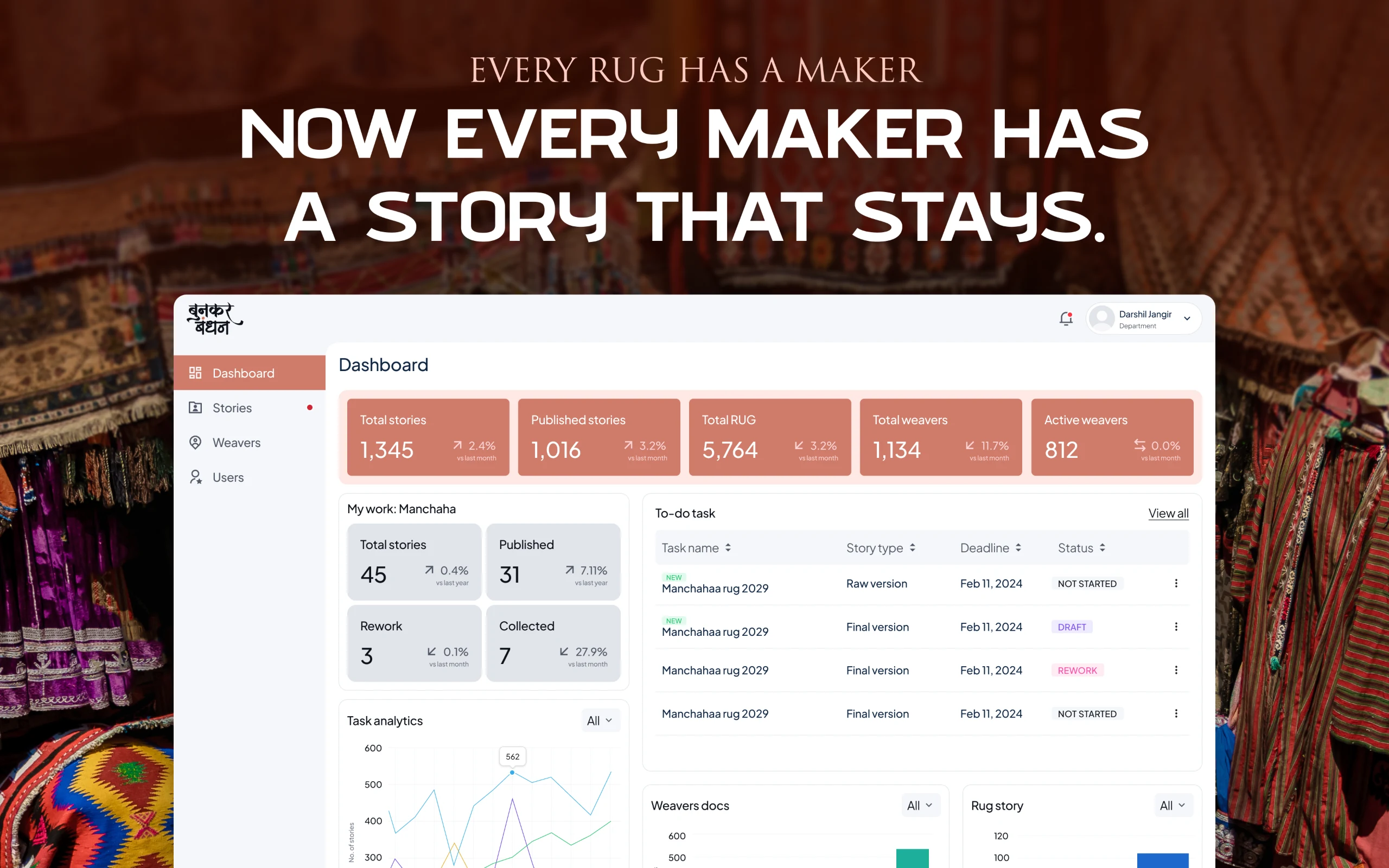
Stories, published stories, rugs and weavers at a glance, plus each person’s Manchaha work and to-do list.
Branch, village and vendor, personal details, experience and awards, and every document — captured once, in the field.
One page per weaver: details, documents to view and download, every story and their open tasks.
All stories with assignee, type and status — in progress, under review, rework or published — plus unassigned raw stories.
Assign a weaver’s story to one writer or several, with raw and final writers, rug details, bullet points and a deadline.
Associates in the field create their own task for a story they’ve just come across.
Raw and final stories with a rich editor, keywords, bullet points, rug photos and voice recordings attached.
Editors read the final story, publish it, or send it back for rework with notes, new writers and a new deadline.
Add team members with a department, role and permissions, and see each person’s profile and stories.
Reports by weaver, village, vendor, branch or rug, downloadable as PDF or exported to Excel and CSV.
Everything starts with a weaver. Before, registration meant a paper form filled in a village, photocopies of documents and a second round of typing back at the office — if the form made it back at all.
I designed registration as a single screen an associate can complete on the spot: branch, village and vendor first, then the weaver’s photo and personal details, experience, awards and working category, and finally uploads for every document. Toggles mark whether a weaver is active, not working or temporarily inactive.
The result is a weaver profile that becomes the home for everything that follows — documents to view and download, every story told about them and every task still open.
Why this, not thatI kept registration to one long, sectioned screen instead of a multi-step wizard. In the field, associates jump between sections as the conversation goes — a wizard forced an order the real visit never follows.
A weaver’s story goes through many hands: someone collects it, someone writes a raw version, someone writes the final one, and an editor signs it off. Before, that chain lived in chats and memory.
I made every story a task. Editors assign a weaver’s story with a story type, rug details, bullet points and a deadline — to one writer or several, with separate raw and final writers. Each person sees their work in a To-do list, and statuses move from not started to draft, under review, rework and published.
Because the field is unpredictable, associates can also create their own task when they meet a weaver nearby with a story worth capturing — so good stories aren’t lost waiting for an assignment.
Why this, not thatI separated raw and final writers instead of one “author” field. The person who listens in the village is often not the person who writes the polished story — and the trail needed to credit both.
Once a story is collected, the writing starts. Writers work in a focused editor with keywords, bullet points and rug photos — and the original voice recording sits right inside the story, so the weaver’s own words are never more than a tap away.
When a writer sends a story for review, the editor is notified. They read the final story beside the rug with a writer’s panel showing who collected and wrote it, when it started and when it’s due — then publish it or send it to rework with notes, new writers and a new deadline.
Permissions keep the process honest: a writer who hasn’t been given rights to the final story sees an access-denied state with a clear way back, instead of a broken page.
Why this, not thatI attached the voice recording inside the story instead of in a separate files tab. Writers kept going back to the weaver’s own words — the recording belongs where the writing happens.
With no PM, I had to define the product as well as design it — scoping modules and roles directly with the client.
Associates work in villages, often mid-conversation. Forms had to be forgiving, sectioned and quick to complete in any order.
Weavers share ID documents. Numbers are masked in lists and full documents appear only to the right people on the profile.
Collectors, raw writers, final writers and editors all touch a story. The design had to credit each and keep the trail clear.
Manchaha rugs are one of a kind. Stories had to be tied to a specific rug and weaver, never treated as a template.
When someone can’t do something, the screen says why and offers a way back — instead of a dead end.
An internal tool doesn’t have to feel cold. The visual language borrows the warmth of Jaipur Rugs’ craft while staying clear and efficient for daily work.
PaperDigital (from Paper to Digital)
Weaver registration and documents are captured once in the field, instead of filled in by hand and retyped.
Source: in internal useLost filesZero loss (from Lost files to Zero loss)
Recordings and drafts live inside each story, so nobody has to go back to a weaver to record it again.
Source: in internal useChatsPipeline (from Chats to Pipeline)
Every story has an owner, a deadline and a status, from collection to publication.
Source: in internal useInformalTrail (from Informal to Trail)
Who collected, wrote, reviewed and changed each story is recorded, with rework notes.
Source: in internal useManualReports (from Manual to Reports)
Reports by weaver, village, vendor, branch or rug, exported to PDF, Excel or CSV in a click.
Source: in internal useBriefIn use (from Brief to In use)
Designed end to end by one designer and now used internally by Jaipur Rugs’ teams.
Source: clientGoing back to a weaver to say a recording was lost was the moment to eliminate. Everything else followed from that.
One weaver, many stories; one story, many hands. Getting the objects right made every screen simpler.
Own tasks came from noticing how the field really works — the best stories are often not on the schedule.
Without a PM, scoping, priorities and trade-offs were part of the design. It made the product tighter, not looser.
Bunkar Bandhan is client work under NDA, so the product isn’t public. I’m happy to walk you through it on a call.
Every rug has a maker.
Now every maker has a story that stays.
Bunkar Bandhan helps Jaipur Rugs keep the stories of the artisans behind its rugs — from the first village visit to the published page — without a single file going missing. Next, I’d explore an offline-first mobile companion for associates in villages with weak connectivity.